Odoo ERP
 Mobile app development
 Acumatica Cloud ERP
 Hire a developer




Acumatica Construction ERP
Total visibility drives better profitability. Acumatica’s construction accounting software solution gives you a complete, real-time view of your business anytime, anywhere.
- Powerful financials and reporting
- Comprehensive job cost accounting
- Streamlined project management
- Integrated Payroll, Inventory, and Service Management
- True mobile apps that allow you to work from anywhere, anytime

Get Free Consultation
Construction ERP
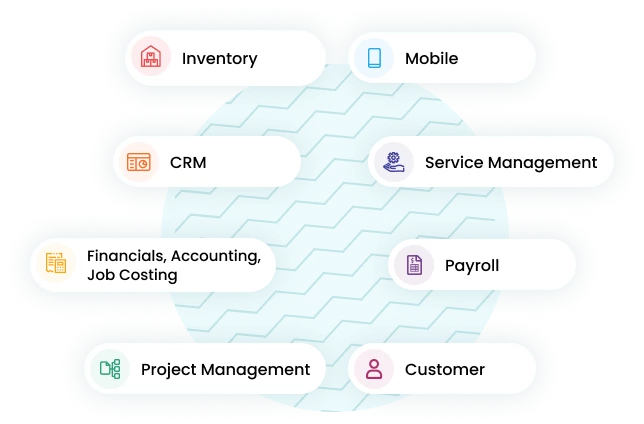
Connect field, office and remote workers in real-time with coud and mobile construction and accounting software.
Financial and Reporting
Powerful financials including GL/AP/AR,multicompany, multicurrency, dashboards and reports.
Job Cost Accounting
Real-time cost on labor, material, subcontracts and equipment.
Project Management
Easily manage daily activities, issues, changes, project documents, daily field reports and job costs from one central area
Payroll
Capture time and track labor rates certified and union payroll projects and more.
Inventory Management
Manage inventory delivery with the flexibility of drop shipping to the project site.
Service Management
Empower remote workers with mobile service orders available anytime, anywhere, on any device.
Major Types Of Construction
- Residential Construction Single & Multi-Unit
- Commercial/ Institutional Construction
- Industrial Construction
- Civil/Heavy Construction
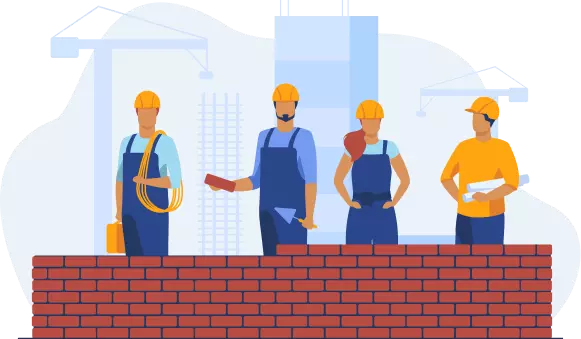
Residential Construction Single & Multi-Unit
Residential construction varies widely in size and scope. The clients could be individual landowners, land developers, specialty home builders, mixed-use/commercial developers, or local authorities such as public housing providers. Projects range in size from building a detached single-family home to a community of single-family homes to building a high-rise complex that houses hundreds of residents and commercial businesses. All projects must comply with local government building regulations. State and federally funded housing projects require certified payroll and surety bonds as well as strict OSHA compliance documentation.
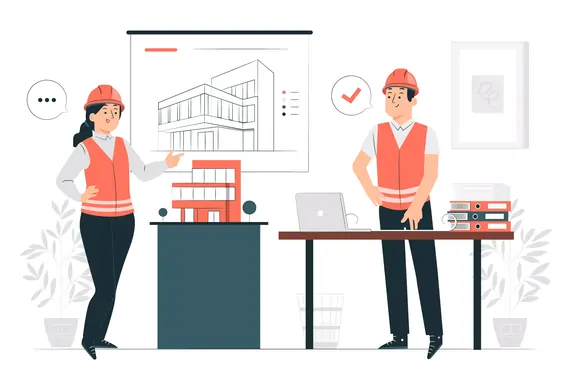
Commercial/ Institutional Construction
Commercial construction runs a gamut of project types: office buildings, restaurants, shopping malls, sports facilities, hotels/resorts, and other retail businesses. The construction of privately owned university structures such as libraries and dormitories as well as hospitals also falls under this umbrella. These projects are typically medium to large in size and are almost always owned by non-government entities. Exceptions to this rule include buildings and offices for government agencies, such as courthouses. Contractors may need to file a mechanics lien to ensure payment on private projects or put up a bond for public ones. Lien waivers, insurance, and certificates of compliance are all tracked closely.
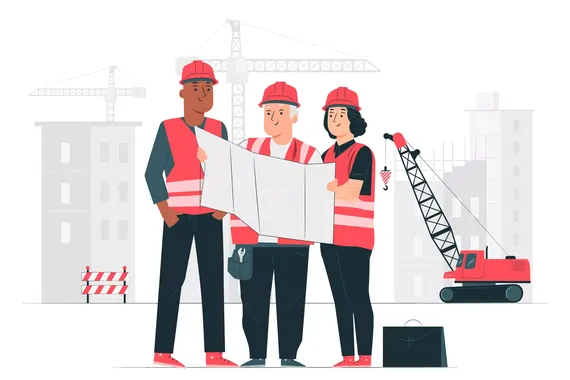
Industrial Construction
Some examples of industrial construction structures include refineries, oil and gas platforms, warehouses, processing plants, breweries and distilleries, steel mills, and factories. Also included in this construction classification you will find wind, hydroelectric, nuclear, and traditional power stations. These projects are commonly owned by privately held, for-profit corporations, although you can occasionally find government investments in this sector, particularly in the area of power generation. Most of these projects are specialized, and careful planning and design are required. Contractors need highly-skilled, technical field personnel such as mechanical, electrical, and structural engineers on the job site. The ability to review drawing logs and submittals in the field is crucial for these projects. These job sites also have more safety risks involved, and therefore OSHA compliance and reporting are vital.
Civil/Heavy Construction
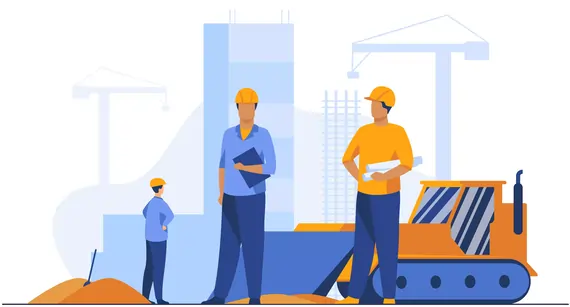
The most common examples of civil/heavy construction are infrastructure works. Bridges, airports, tunnels, railways, canals, highways, transit systems, dams, pipelines, and wastewater treatment plants are all excellent examples of this type of work. These projects are typically publicly owned, with the most common exceptions being small, privately owned airports, transit systems, and roads. Some general contractors specialize in civil construction, while others will employ a civil engineer full-time for the duration of a project to be on the job site regularly. As with industrial construction, the ability to access and share drawing logs, daily field reports, submittals, and project issues in real-time is crucial. When projects are government-owned, certified payroll, certificates of insurance, surety bonds, and the ability to easily adhere to strict compliance management protocols and documentation are a must.
Why do you need construction ERP for your business?
Silos exist between accounting and field operations
Information doesn't flow smoothly across the organization and the entire business suffers
Inability to determine which projects are profitable
Lack of visibility on labor costs - one of the most expensive variable components on a project
Numerous external systems that do not connect and create manual data entry and potential errors
Older technology that limits transparency, access and process improvement
Contractor - Specific ERP System
Comprehensive, Mobile Construction Accounting
Single Source of Truth
Distributed, on-the-move construction teams manage project operations, change orders, and financials from a single, centralized solution accessible anywhere, on any device.
Easy for Everyone to Use
Centralize information with intuitive dashboards and personalized, real-time inquiries to connect everyone from managers and supervisors to subcontractors and customers.
Built for Collaboration
Monitor construction projects with real-time, role-based dashboards. Unlimited user licensing and role-based security enable collaboration across the organization and with external users.
Key features of Acumatica ERP for your construction needs
Financial Management
Acumatica’s Financial Management is designed to work for smaller contractors as well as scale up for more complex needs. Some of the features include standard financial processes and reports as well as multi-company, multi-currency. There is also fixed assets, recurring and deferred revenue, and cash management.
Job Cost Accounting
Real-time project costing includes up-to-date labor, material, equipment, and other costs. Simple AP workflows provide easier billing and allows for the proactive identification of potential problems, which helps to improve future project estimates.
Project Management
Easily track and manage all aspects of a project, such as changes, issues, job costs, and project documentation. Real-time field updates provide instant information sharing between your workforce, back-office team, and management.
Payroll
Construction payroll can be complicated, but Acumatica’s ERP adapts to any organizational structure, supporting multiple unions, complex wages, benefits packages, certified wages, and commission structures.
Commitments
Automating project commitments and change order processes help to control cost overruns. Create and track purchase orders, subcontractor status, budget comparisons, line-item committed costs, and payments.
Compliance
Acumatica’s ERP enables users to effectively manage insurance certificates, lien waivers/releases, and status updates. Automated alerts can be configured to alert appropriate staff of pending expirations.
Customer Relationship Management
Easily see real-time data on all customer activities, including quotes, orders, invoices, payments, support cases, and service calls. Acumatica CRM also includes a self-service customer portal that lets customers access the information they need.
Mobile App
Get anytime, anywhere access. Quickly see critical reports on phones and tablets and give field teams and subcontractors tools to enter employee time and equipment details electronically. Access the complete system over any device and search for all project details from one global search box.
Advanced Material Management
Streamline the management of project materials, including receipts and issues for purchased materials. Create requisitions with approvals workflow and create purchase orders to ship materials directly to a project location, creating an efficient workflow for job site deliveries.
Change Management
Control cost overruns by automating project commitments and change order processes. For example, manage back charges or reduction in vendor commitments through the entry of a negative change order. Drop-ship workflows connected to change orders improve business workflows.
Progress Billing
Flexible progress billing by quantity like linear or square footage reduces project owner risk while allowing customers to meet their unique business needs
Project Cost and Revenue Tax Zones
Simplify the process of calculating taxes for a project – tax zones are specified directly in the project and automatically retrieved and calculated for all invoices, purchase orders, subcontracts, and expenses.
An Innovative Cloud Platform Ready For Modern Technologies
![Connected Applications]() Connected Applications
Connected Applications

![Connected Applications]() Vertical/Embedded Applications
Vertical/Embedded Applications

- Tax Calculations
- eCommerce
- Business Intelligence
- Shipping & Logistics
- Property Management
- Government Contracting
- Non-Profit
- Rental Equipment

![Connected Applications]() Acumatica Cloud ERP
Acumatica Cloud ERP


![Connected Applications]() Industry Editions
Industry Editions

![Connected Applications]() Best-In-Class Modules
Best-In-Class Modules
- Manufacturing Edition
- Construction Edition
- Distribution Edition
- General Business Edition
- Retail-Commerce Edition
- Financial Management
- Project Accounting
- Customer Management
- Field Service Management
- Payroll
![Connected Applications]() Acumatica Cloud Platform
Acumatica Cloud Platform
- Advanced Authentication
- AI & ML
- Visual Studio Templates
- Multi-tenant
- Role-based Security
- Multi-Langauge
- Acumatica Visual Workflow Engine
- Low Code/ No Code Framework
- Cross-browser Support
- Integration & Web Services
- Reporting & Analytics
- Mobile Framework
![Connected Applications]() Tech Stack
Tech Stack

Manage Your Entire Business On A Single, Future-Proof Cloud Platform
Construction ERP Complete Checklist
Productivity
Does the product improve the productivity of both the workers at the job site and at the office?
| Feature | Benefit |
|---|---|
| Intuitive | Very user friendly interface. |
| True universal availability | Use the system at any time, from any device, anywhere there is wi-fi, whether it’s the office or job site. Easily communicate and collaborate with subcontractors, suppliers, and customers. |
| Multilingual | Work in the language of your choice and easily print customer-facing documents (such as change orders) in the language of your customer. |
| Multicurrency | Operate in any currency and convert as needed. |
| Workflow | Automate business processes, approvals, and notifications. |
| Wiki’s | Share information and company documents among any combination of teams, departments, and external users. |
| Single Database | Establish a single source of truth. Eliminate the need to maintain integrations between multiple applications. |
| Comprehensive Reporting | Reports that eliminate guesswork. Make faster, better decisions with fewer mistakes. |
| Document Management | Make critical documents available to all key personnel. |
Functionality
Does the product have the required functions and features to perform your daily business managements and accounting functions?
| Feature | Benefit |
|---|---|
| Multi-entity | Support multi-company, multi-warehouse, and international companies, including financial consolidations, intercompany eliminations, and reconciliations. |
| Financial Management | Support standard accounting functions, including General Ledger, Accounts Payable, Accounts Receivable, Cash Management, Tax management, and more. |
| Quote-to-cash | Create quotes, convert to sales order, check inventory availability, perform credit check, manufacturer (if applicable), pick, ship, invoice, and collect payment. |
| Sales Order Management | Split orders across multiple warehouses, allocate inventory,verify credit limits, issue replenishment orders, accept returns, and manage complex pricing/discount policies. |
| Purchase Order Management | Automate complex procure-to-pay processes involving multiple products and suppliers. Create requisitions and approvals, obtain bids, convert to purchase orders, receive inventory, input invoices, match and pay. |
| Inventory Management | Manage inventory, plan and manage movement of goods. through distribution network, and control customer and transfer orders. Use multiple locations with lot and serial number tracking. Expired items are automatically removed from available inventory. |
Technology
Is the technology used the best option for customizability, usability, and maintainability?
| Feature | Benefit |
|---|---|
| True cloud | All functionality is accessible through the internet using a standard browser without the need for any software installation on the user's device. No additional software licensing required. |
| Responsive design | View and interact with every page of the application on any device with a minimum of resizing, panning, or scrolling. |
| User interface | Modern look and feel. Customize screens and dashboards. Easy access to tasks with minimal clicks and intuitive workflow. |
| Customizable and flexible | Ability to modify and customize business logic to meet your company's unique requirements. |
| Customization using industry standard tools | Perform customizations using industry standard tools and programming languages without requiring the use of proprietary languages or compilers. |
| Full relational database | All system data stored in a relational SQL database. Query data for reporting, Bl, financial statements, audits, and more. |
| Database export | Access and export relational versions of all data for reporting, backup, and transfer. |
| Upgrade on your schedule | Ability to plan upgrades at dates and times that are convenient to you and your company - not the ERP vendor. |
| Capable of moving to the cloud when you are ready | Not everyone wants to operate in the cloud. The product should support both on premise and cloud deployments, and let you switch deployment models if and when you are ready. |
Value
Do the features and functions of the product provide enough value to justify the cost for the usability of the product?
| Feature | Benefit |
|---|---|
| Multiple deployment options | Deployment methods allow on premises in your facility, private cloud of your choice, or our public cloud using Amazon Web Services (AWS). |
| Flexible licensing options | Offers subscription or perpetual licensing (depreciable capital expense versus an ongoing operating expense). |
| Low total cost of ownership (TCO) | Reduce the total cost of ownership over the foreseeable lifetime of the product (at a minimum 3-5 years), including licensing, support, hardware, upgrade, and hosting costs. Be sure to add the cost of additional products required to run the system (web server, eCommerce platform, database server, collaboration tools, CRM, etc.), which includes all required hardware, licensing, and support costs. |
| Scale as you grow | Ability to accommodate heavier volumes, more resources, and more users as your business grows. Pay only for what you use. Add more resources when you need them. |
| Preserve capital for other business initiatives | Cloud deployments reduce the need for initial cash outlay for hardware and software purchases. Cloud deployments also reduce the amount of internal IT staff required for hardware and software support and maintenance. |
| Charged by resources used, not by user | Vendor charges for the resources used, not by user count, making the benefits of ERP available to all employees, customers and suppliers. Charging by user penalizes growing businesses. |
Risk
Does the product facilitate network and financial security to minimize risks?
| Feature | Benefit |
|---|---|
| Predictable monthly costs | Not vulnerable to spikes in IT costs. Standardizing on a platform allows you to predict your monthly cost for the system. |
| Deploy quickly | Eliminate time delay and risk of unplanned costs by deploying quickly with a cloud solution. |
| Leverage global technology leaders | Ability to utilize the resources of cloud hosting leaders (Amazon, Microsoft, and IBM) for their fast response and uptime. |
| Knowledge of your industry | Reduce risk by using a software vendor with the solutions and knowledge for your specific industry. |
| Customer references | Cites customer successes using their software in your industry. |
| Best-in-class security at no additional cost | Support platform, web, and computer security leveraging expertise at hosting providers. |
| Data in the cloud | Data on your servers are vulnerable to attack. |
| Backup and disaster recovery | Prepared for the worst-cloud deployment lowers costs for backup, failover, and disaster recovery. |
| Simpler integration with other web apps. | Utilize web capabilities to integrate with other web-based business applications. |
| Vendor handles updates and upgrades | Eliminate risk of missing an upgrade with a cloud solution. |
Acumatica works with the tools you already use so integration is easy
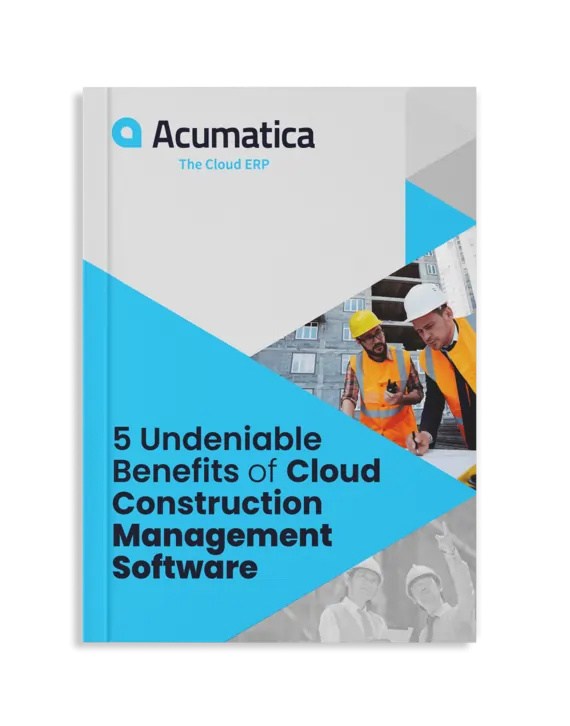
Download free Ebook
5 Undeniable benefits of Cloud Construction Management Software
Acumatica Cloud ERP Related Services
Acumatica Support
Acumatica Integration
Hear From Real Customers Why They Love Acumatica
"With Acumatica we worked with Klear Systems to add a custom fee tab and a few custom reports. The ease of personalization in Acumatica has been a game changer for everybody, and it's allowed us to work better and service our client needs.

Julia Pinto Cisneros
COO, Quality Material Handling, Inc.
"When we add a new company, we don’t have to buy extra software user licenses. We just create a new branch in Acumatica and quickly integrate them into Dukathole Group."

Graham Leonard
Chief Financial Officer & Operations Manager ,Dukathole Group
"Acumatica is magic. We haven’t found anything we can’t do with Acumatica."

Donna James
Statewide Finance Specialist, Cornell Cooperative Extension
"To have 100 percent visibility to everything no matter where we are in the world is invaluable."

Keith Ford
President, Eagle Fence Distributing
Awards and Recognition








Services
Other Links
Stay Tuned with Confianz



Locations

Confianz Global® Inc
5550 77 Center Dr #135, Charlotte,NC 28217, USA
Copyright ©2026 Confianz. All rights reserved.