
A company can have a strong sales organization and still struggle to connect everything that happens after a customer says “yes.”
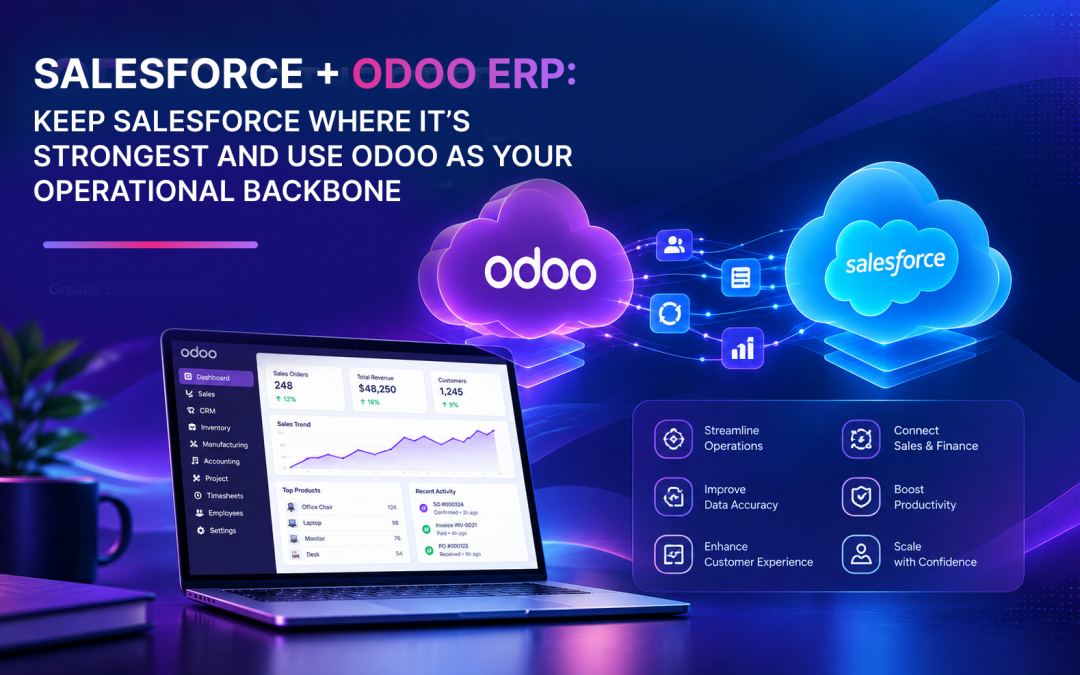
The opportunity is not necessarily to replace the CRM that sales teams already know and use. For many manufacturers, distributors, and operationally complex businesses, a more practical approach is to let Salesforce continue supporting the customer-facing sales process while Odoo becomes the operational ERP backbone behind it.
Salesforce describes CRM as a system for managing interactions with prospects and customers across activities such as sales, marketing, and service.
Odoo, meanwhile, provides an integrated suite for spanning applications such as inventory, manufacturing, accounting, ecommerce, and sales.
The result is not a choice between Salesforce and Odoo. It is an architecture in which each platform has a clear purpose. For businesses exploring this Salesforce + Odoo combination, Odoo integration can connect CRM and operational processes while allowing each platform to serve its intended role.
Key Benefits of the Salesforce + Odoo Model
- Zero Sales Disruption: Keep existing Salesforce workflows intact for sales teams and 1099 reps already comfortable with the platform.
- Odoo as Operational Engine: Use Odoo to handle product configuration, pricing, EDI, manufacturing, and fulfillment.
- Clear Data Ownership: Define clear boundaries between CRM and ERP to eliminate silos and duplicate entry.
- Maximize ROI: Avoid costly rip-and-replace projects by assigning each platform to its highest-value role.
What is the Role of Salesforce vs. Odoo ERP?
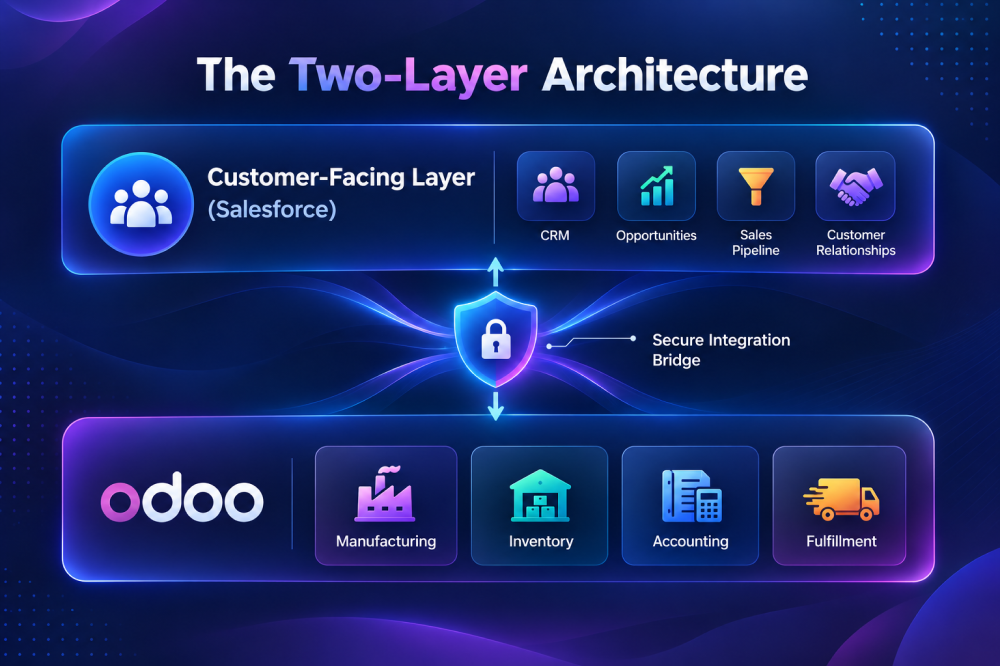
Think of the customer journey as two connected layers.
Customer-facing layer
This is where sales representatives work with prospects and customers, manage relationships, track opportunities, and move deals forward. Salesforce can continue serving this role when it is already effective for the organization.
Operational layer
Once the commercial decision needs to become an executable business process, the operational requirements expand.
- A configurable product may need to be priced correctly.
- A sales order may need inventory availability checked.
- Materials may need to be purchased.
- A manufacturing order may need to be scheduled.
- Finished goods may need to be picked, packed, and shipped.
- An invoice may need to be generated.
- The financial transaction may need to be recorded in accounting.
Management may then need reporting that connects the transaction back to operational reality.
This is where Odoo can become the operational ERP backbone. Odoo Inventory can connect sales orders with delivery orders and keep stock levels synchronized, while manufacturing can consume raw materials and update inventory as production occurs.
A Real-World Example: A Manufacturer With 1099 Sales Representatives
Consider a U.S.-based manufacturer with highly configurable, made-to-order products and a large network of 1099 independent sales representatives already comfortable with Salesforce.
Rather than replacing the CRM during ERP modernization, the company can retain Salesforce for sales and connect it with Odoo as the operational backbone.
This approach reduces disruption for sales representatives, avoids unnecessary CRM migration and retraining, and allows the business to modernize its operational processes while preserving established customer-facing workflows.
ERP modernization does not always mean application replacement. It can mean placing each system in the right role while minimizing business disruption.
The key question then becomes what happens operationally once the salesperson closes the deal.
What Happens Behind the Sale?
Imagine a salesperson has just closed an order for a highly configurable product. From the salesperson’s perspective, the important event may be simple:
The customer placed the order. For operations, however, that single event can trigger an entire chain.
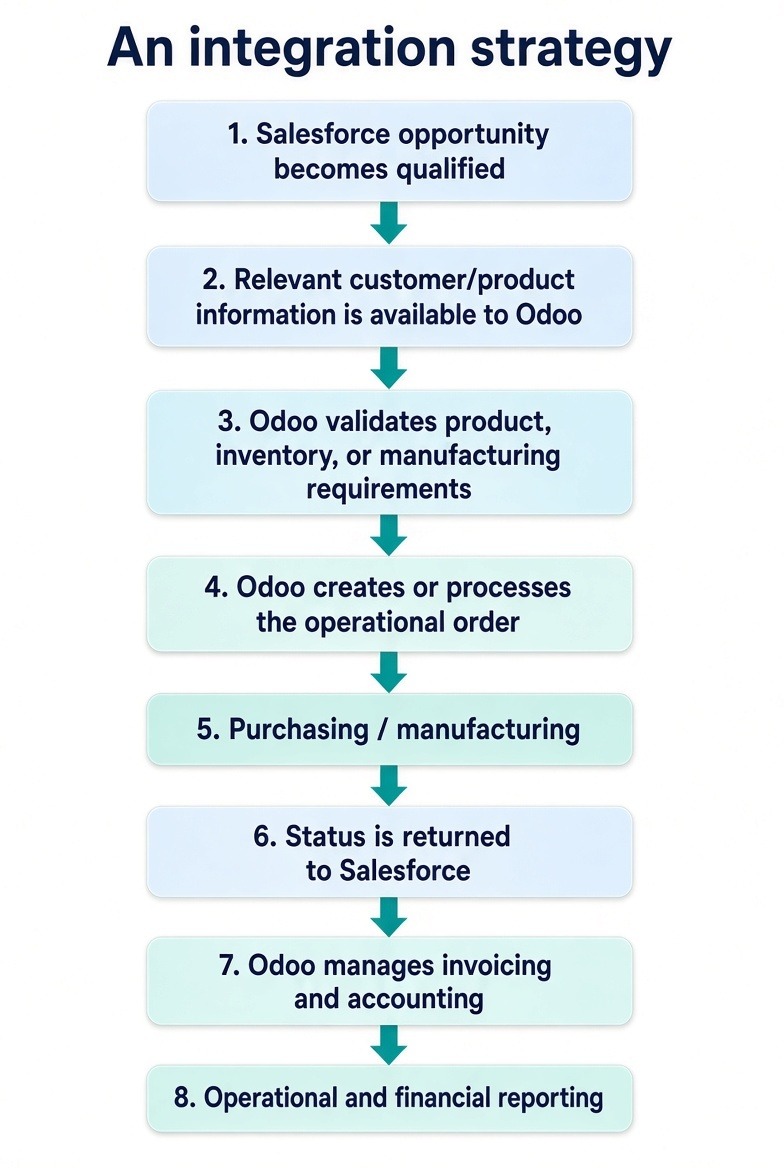
Customer requirement → Product configuration → Pricing → Sales Order → Availability → Purchasing/Manufacturing → Fulfillment → Invoice → Accounting → Reporting
This is where an ERP becomes critical to executing the order..
Odoo’s manufacturing capabilities include bills of materials, manufacturing orders, work orders, capacity planning, production scheduling, traceability, and manufacturing cost analysis.
Its inventory capabilities extend into replenishment, purchasing, warehouse operations, reservations, traceability, delivery, and inventory valuation.
And Odoo Accounting connects invoicing and financial processes with sales, inventory, purchasing, ecommerce, payments, reporting, and analytic accounting.
The value is therefore not simply having another application. The value is connecting the entire operational chain behind the sale.
A Practical Salesforce + Odoo Process Flow
For an operationally complex business, a connected process could look like this:
| Stage | Salesforce | Odoo |
|---|---|---|
| Lead / Opportunity | ✓ | |
| Customer-facing sales activity | ✓ | |
| Product and configuration requirements | ✓ | ✓ |
| Product master / operational information | ✓ | |
| Pricing logic | Shared according to agreed ownership | ✓ |
| Sales order creation | Initiated/communicated | ✓ |
| Inventory availability | ✓ | |
| Purchasing | ✓ | |
| Manufacturing | ✓ | |
| Warehouse & fulfillment | ✓ | |
| Invoicing | ✓ | |
| Accounting | ✓ | |
| Operational reporting | ✓ | |
| Customer-facing sales visibility | ✓ |
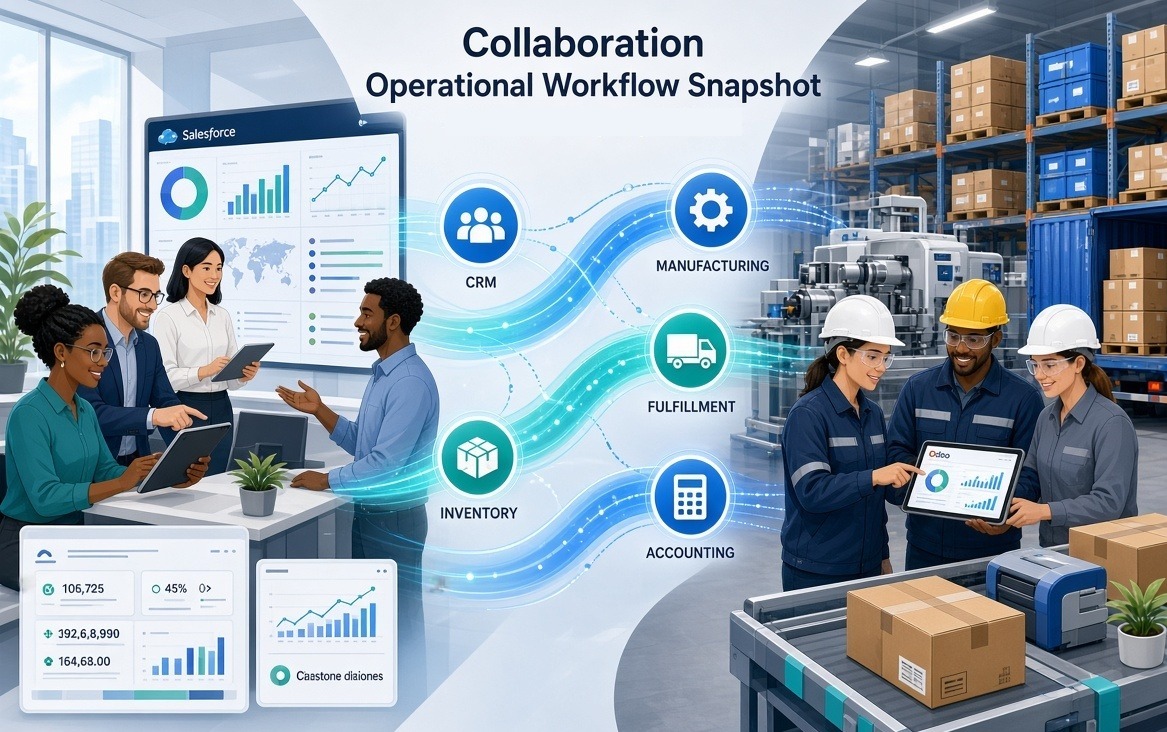
Data Ownership Is More Important Than the Integration Itself
A strong Salesforce–Odoo integration should begin with data ownership, not with deciding which fields to synchronize. Integration should not mean duplicating every record in both systems. Instead, each system should know what it owns, what it receives, what it sends, and which system is authoritative for each business process.
For example, Salesforce can remain in the system of record for customer relationships and sales activity, while Odoo owns product information, pricing, sales orders, inventory, manufacturing, fulfillment, invoicing, and accounting. Salesforce can receive only the operational information sales teams need, such as product availability, order status, and shipment updates.
Clear ownership prevents conflicting data and keeps the integration focused on sharing the right information between systems rather than replicating everything everywhere.
Integration Should Connect Processes, Not Just Applications
Modern APIs make it easy to connect Salesforce and Odoo, but technology alone does not create a successful ERP strategy. Effective integration requires clear business rules, defined data ownership, and well-designed workflows to ensure information flows accurately between sales and operations.
What Should Be Defined Before Integrating Salesforce and Odoo?
Before building the integration, map the business processes, not just the APIs. A practical Odoo consultation can help businesses assess these processes and define the right integration approach. The discovery should cover five areas:
- Users: Identify who creates, views, approves, and updates information in each system.
- Workflows: Map the transaction flow from opportunity and quote through order, fulfillment, invoicing, and payment, and define system ownership at each step.
- Data ownership: Establish the authoritative source for customers, products, pricing, orders, inventory, manufacturing, shipments, and financial records.
- Integration points: Define what data or events must move, when, and at what frequency.
- Reporting: Ensure sales, operations, finance, and management can access a consistent view of the business.
When Does a Salesforce + Odoo Architecture Make Sense?
Salesforce and Odoo can work together without replacing either platform. Salesforce can remain the CRM for customer relationships, opportunities, and sales activity, while Odoo manages operational processes such as product configuration, inventory, purchasing, manufacturing, fulfillment, invoicing, and accounting.
This Salesforce is already deeply embedded in the sales organization, particularly across distributed or independent sales networks, while the business has complex manufacturing, inventory, purchasing, product configuration, ecommerce, EDI, or financial processes.
It is also useful when a company wants to modernize its ERP without unnecessarily replacing an effective customer-facing CRM.
For businesses with simple operational requirements or no strong reason to retain Salesforce, a dual-system architecture may add unnecessary complexity.
The Bigger Lesson: Modernization Does Not Mean Starting Over
One customer journey. Two specialized platforms. One connected operational flow.
ERP modernization does not require replacing every system in the business. If Salesforce works effectively for the sales organization, it can continue in that role while Odoo connects and manages the operational processes behind the sale. The strongest architecture gives each platform a clear purpose, with Odoo at the center of the operational business.
For other manufacturers, this means modernization does not have to disrupt established sales processes or force teams to abandon systems they already use effectively. Instead, businesses can define clear responsibilities for each platform and connect them through a well-designed integration layer. This approach preserves existing sales capabilities while giving the business greater visibility, control, and scalability across inventory, purchasing, manufacturing, fulfillment, finance, and other operational processes.
Building a Connected Odoo ERP Backbone with Confianz
Already using Salesforce but need a stronger operational foundation behind it?
Confianz Information Technology helps manufacturers and operationally complex businesses design and implement Odoo environments that work with the systems their teams already use. Our experience includes Salesforce integration, manufacturing execution, ecommerce portals, custom pricing matrices, EDI compliance, advanced fulfillment, core accounting, cloud infrastructure, and ongoing Odoo development.
Talk to Confianz about integrating Salesforce and Odoo around the way your business actually operates.