
In our previous blog, “Odoo 20 Is Coming: What Recent Odoo Releases May Mean for Your Business” we highlighted several areas to look out for based on recent Odoo releases. With the official Odoo 20 announcements now available, some of those expectations have become clearer.
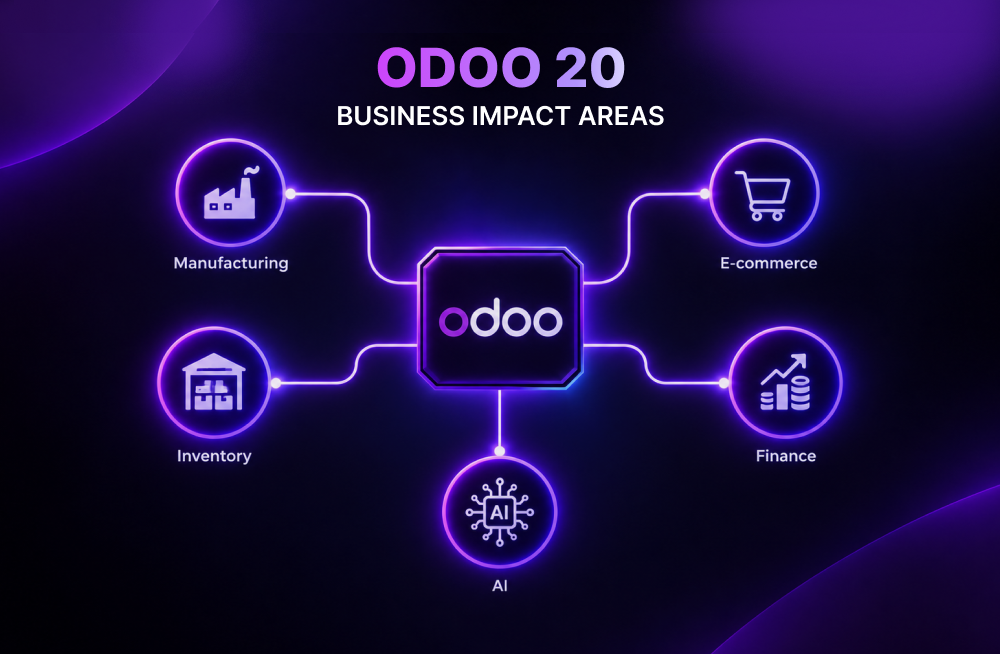
Manufacturing has gained more practical planning views, inventory has stronger allocation and intercompany capabilities, ecommerce continues to connect more closely with fulfillment, and AI has moved further into business workflows.
For businesses using or considering Odoo, the important question is no longer what might arrive. It is which of these confirmed capabilities can address real operational needs.
What Odoo 20 Confirmed
Several areas identified in the earlier discussion have now become more concrete.
Manufacturing gets a clearer operational view
Odoo 20 makes it easier for production managers to see what needs attention without digging through another report.
A production manager rarely wants another report. What they need is a quick answer to a few practical questions:
- What needs attention this week?
- Which orders are delayed?
- Where are components missing?
- Which work centers are under pressure?
Odoo 20 makes those questions easier to answer visually.
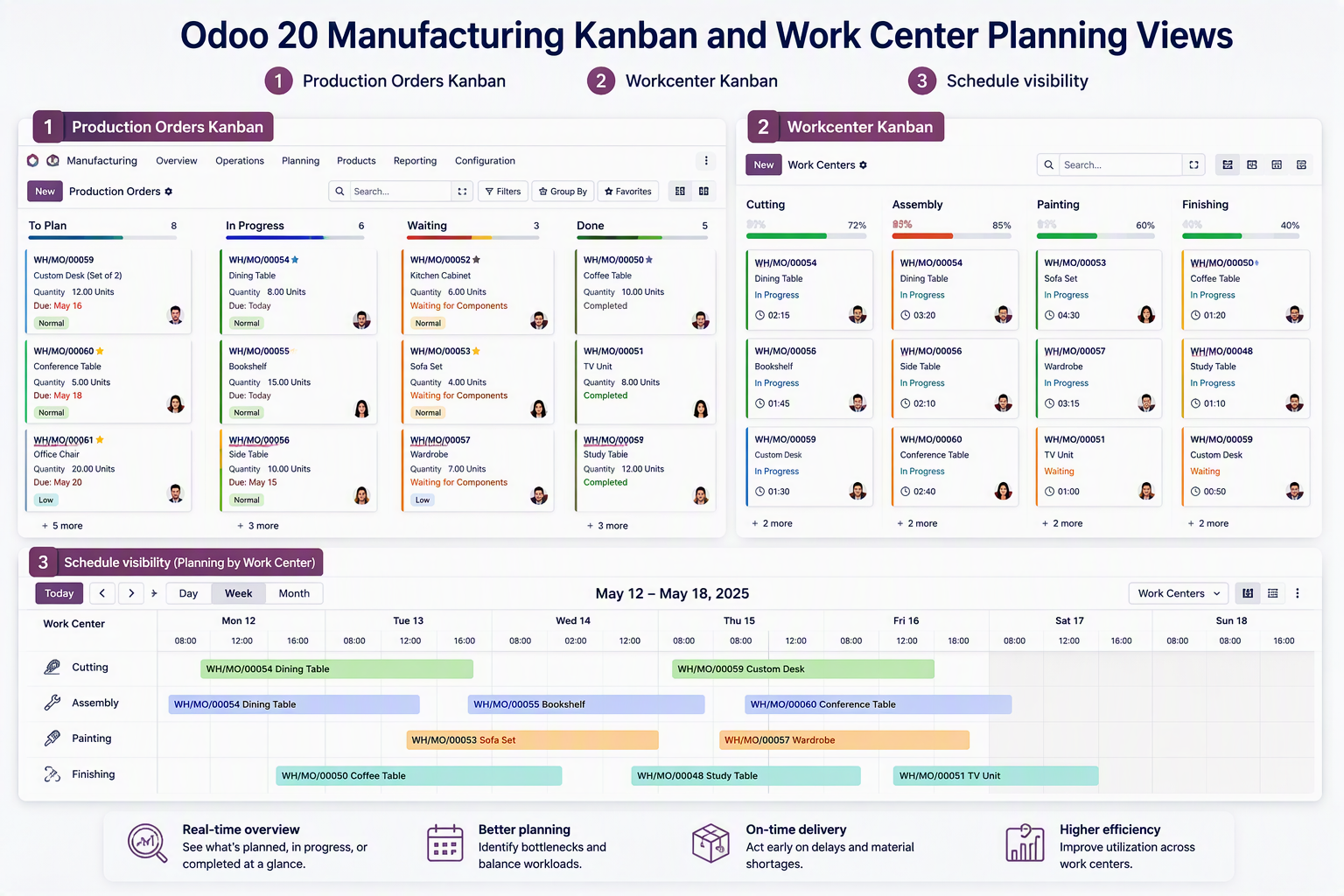
For a manufacturer, this is more than a new interface.
It can reduce the need to combine information from several screens or spreadsheets before making a production decision. A planner can see the production workload, identify constraints, and act from the same operational view.
That becomes particularly relevant for make-to-order manufacturers and businesses managing multiple work centers, where a delay in materials or capacity can quickly affect customer commitments.
Inventory focuses more on control, not just visibility
When several customer orders or manufacturing requirements compete for incoming stock, simply knowing the quantity expected to arrive is not enough. Someone needs to decide where that stock should go.
Odoo’s allocation functionality lets businesses assign incoming inventory from purchases or manufacturing to specific outgoing demands.
For distributors, this helps answer a key question: Which customer order should the incoming stock fulfill?
Inventory accuracy becomes increasingly important as a company grows across warehouses, branches, suppliers, and sales channels.
Odoo 20 adds several inventory improvements, including ministock management, improved allocation reports, enhanced intercompany and interbranch flows, new label capabilities, and integrated CMR documents. Odoo highlights these as part of the new Inventory functionality in its Odoo 20 material.
Ecommerce moves closer to the rest of the operation
An ecommerce site may look like a customer-facing application, but behind every online order are inventory, fulfillment, pricing, customer data, payment, delivery, and accounting processes. Odoo 20 continues to strengthen that connection.
New ecommerce capabilities include automated cross-sell suggestions, customer-initiated returns through the portal, ecommerce dashboards, and improvements to website performance and the shopping experience.
The broader significance is the connection between the online storefront and the operational processes behind it. Customer information, orders, inventory, fulfillment, and other business activities can remain within the same Odoo environment.
For B2B businesses, Odoo 20 also continues to support controlled customer access, customer-specific pricing, and B2B/B2C configurations within ecommerce.
AI moves closer to actually doing the work
Odoo 20’s AI capabilities include an MCP server that allows compatible external AI agents to interact with an Odoo database and, depending on the configured permissions and exposed tools, read or modify records.
Odoo provides examples ranging from reviewing sales pipelines and analyzing manufacturing forecasts to creating contacts and editing records through natural-language requests.
AI in an ERP is much more interesting when it can interact with business information than when it simply generates text.
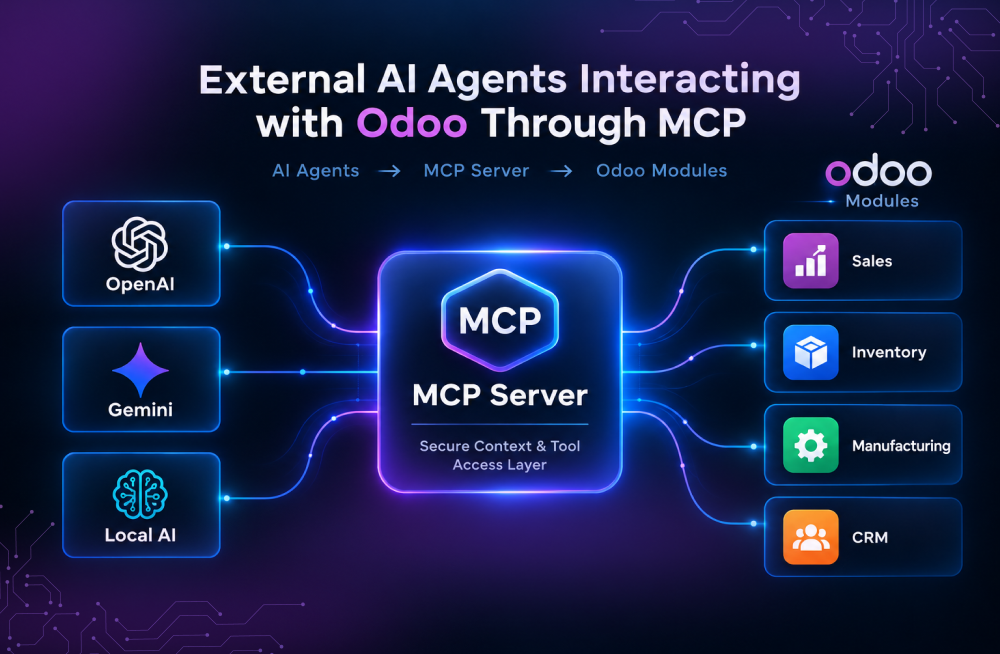
Instead of navigating through several menus to find information, a user could ask: “Show me the manufacturing orders affected by missing components this month.”
One of the new developments in Odoo 20 is the expanded role of AI, moving beyond content generation toward more direct interaction with business data and workflows. This creates opportunities for more advanced automation while also making access control, permissions, and AI governance important considerations.
Why These Changes Matter
The practical value of Odoo 20 is less about the number of new features and more about how they connect operational activities.
Better production visibility can help planners respond to delays. Inventory allocation can support decisions when supply is limited. Ecommerce improvements can reduce the gap between customer-facing activity and fulfillment. AI integrations could provide another way to work with ERP information and, where appropriately controlled, automate selected actions.
For business leaders, these changes are relevant when they solve a measurable operational problem. For IT teams, the same changes need to be considered alongside integrations, customizations, permissions, data, and user adoption.
The less glamorous changes may be just as valuable
Not every important Odoo 20 improvement will make a keynote headline.
For finance teams, improvements to reconciliation, vendor payment workflows, and tax handling can reduce repetitive accounting work.
For retail businesses, Point of Sale improvements around hardware setup and product combinations can simplify everyday store operations.
For employees working away from a desktop, improvements to mobile experiences can make the ERP more practical in the field.
These changes matter because ERP value is often created through repetition.
Saving five minutes from a process performed once is insignificant. Saving five minutes from a process performed 500 times a month is a different business case.
What Businesses Should Validate Before Acting
The announcements clarify the direction of Odoo 20, but they do not remove the need for implementation assessment. Before deciding whether to upgrade, businesses should understand how the new capabilities could affect their current processes, customizations, integrations, and business critical workflows. If you are considering an Odoo 20 upgrade, our Odoo upgrade assessment can help you evaluate these impacts and plan the transition with greater clarity.
Existing Odoo customers should first map the new capabilities against current business problems. For example:
Manufacturers can assess the new production and work-center views. Distributors can examine allocation and intercompany processes. Ecommerce businesses can review returns, cross-selling, inventory, and fulfillment. IT teams should assess custom modules, integrations, APIs, permissions, and AI access.
Several technical questions also deserve validation before an upgrade:
- Which AI capabilities are available immediately and which require additional configuration?
- What security and approval controls are required for AI access to ERP data?
- Which inventory capabilities are available in the relevant Odoo edition and applications?
- How will custom modules and third-party integrations be affected by API changes?
- What performance considerations apply to larger manufacturing and ecommerce environments?
Odoo is also moving toward its newer JSON-2 API, while older XML-RPC and JSON-RPC interfaces are deprecated and scheduled for removal in a later version. Businesses do not necessarily need to replace every existing integration as part of an Odoo 20 upgrade, but this is a useful time to document external applications, payment gateways, EDI connections, custom modules, and other integrations.
The upgrade assessment should therefore cover more than the database. Custom code, integrations, reports, automated actions, permissions, and business-critical workflows should also be reviewed.
For some organizations, the right next step may be an upgrade. For others, it may be preparing an upgrade, testing selected capabilities, optimizing the current environment, or waiting until specific functionality is better validated.
What About Businesses Considering Odoo for the First Time?
For new implementations, Odoo 20 provides an opportunity to design connected processes from the beginning.
Rather than selecting applications independently, businesses can map the complete operational flow:
Customer order → Inventory → Purchasing or Manufacturing → Fulfillment → Invoicing → Payment
They can then identify which steps Odoo can support with standard functionality and where integration or customization is actually necessary.
This approach is particularly relevant for manufacturers, distributors, retailers, and ecommerce businesses where information moves between departments throughout the day. The objective should not be to reproduce every existing workaround inside a new ERP, but to create a simpler and maintainable process.
Odoo 20: What Should Businesses Take Away?
Odoo 20 has moved the conversation from expectations to confirmed capabilities. Some of the developments follow the direction businesses were already watching, while capabilities such as the MCP-based AI approach add a new dimension to how ERP data and workflows may be accessed.
The next step does not have to be an immediate upgrade.
Businesses should identify which Odoo 20 capabilities are relevant to their operations, validate the technical and implementation requirements, and then decide whether to upgrade, prepare, investigate specific features, optimize the current environment, or wait.
What do the Odoo 20 announcements mean for your business?
Confianz can help you evaluate Odoo 20 against your business processes, current Odoo environment, customizations, integrations, and future plans.
Whether you are considering an upgrade or a new implementation, our experienced Odoo team can help you determine which capabilities matter, what needs to be prepared, and where Odoo 20 can support your next stage of growth.